DEV - Building an AWS Documentation Scraper with an LLM
I needed offline access to AWS Textract's API documentation. Here's how I used an LLM to build a simple scraper.
Input prompt:
write a script that for each of the objects in the screenshot, uses lynx -nolist -dump https://docs.aws.amazon.com/en_us/textract/latest/dg/API_${OBJECT}.html > api-$OBJECT.txt
Along with two screenshots containing Textract API object names.
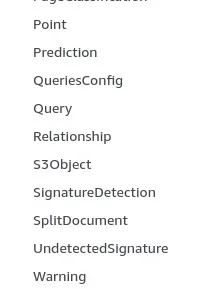
The LLM generated this working script:
#!/bin/bash

# Array of all Textract API objects
OBJECTS=(
    "Adapter"
    "AdapterOverview"
    "AdaptersConfig"
    "AdapterVersionDatasetConfig"
    "AdapterVersionEvaluationMetric"
    "AdapterVersionOverview"
    # ... [trimmed for brevity]
    "Warning"
)

# Create a directory for the downloaded files
mkdir -p textract-api-docs

# Download documentation for each object
for object in "${OBJECTS[@]}"; do
    echo "Downloading documentation for ${object}..."
    url="https://docs.aws.amazon.com/en_us/textract/latest/dg/API_${object}.html"
    output_file="textract-api-docs/api-${object}.txt"

    if lynx -nolist -dump "$url" > "$output_file"; then
        echo "Successfully downloaded documentation for ${object}"
    else
        echo "Error downloading documentation for ${object}"
    fi

    sleep 1
done
Implementation process:
- Started with screenshots of the object names from AWS Textract's documentation
- Asked Claude to write a bash script using
lynx -nolist -dumpto download each page - The script uses a bash array of object names to construct URLs in the format:
https://docs.aws.amazon.com/en_us/textract/latest/dg/API_${OBJECT}.html - Each page is saved as plain text:
api-$OBJECT.txt
The script includes basic rate limiting (1 second between requests) and creates a dedicated directory for the downloads.
You can adapt this approach for other AWS services by updating the object names and URL pattern. Just ensure you comply with AWS's documentation terms of service when scraping.
Here's the gist: Screenshot the API object names, feed them to an LLM, get a working scraper. Done in minutes.